

Hello members,
Please follow the below steps to file a complaint with Banking bank Ombudsman.
Steps:
Step 1: Click on File a Complaint button
Step 2: Enter captcha (The captcha is case sensitive)

Step 3: Enter your name and mobile number
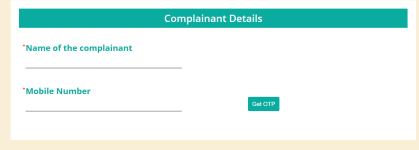
Step 4: Enter OTP

Step 5: Enter Details.
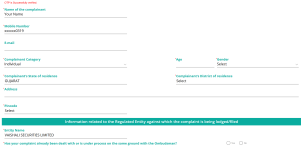
Note: If you see a POPUP with the below message:
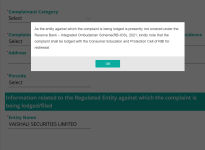
You need to file a case in the Consumer Forum.
Feel free to contact us to file a case in the Consumer Forum.
Thanks
Please follow the below steps to file a complaint with Banking bank Ombudsman.
File Online Complaint
Go to the official RBI complaint portal: https://cms.rbi.org.inSteps:
Step 1: Click on File a Complaint button
Step 2: Enter captcha (The captcha is case sensitive)
Step 3: Enter your name and mobile number
Step 4: Enter OTP
Step 5: Enter Details.
Note: If you see a POPUP with the below message:
As the entity against which the complaint is being lodged is presently not covered under the Reserve Bank – Integrated Ombudsman Scheme(RB-IOS), 2021, kindly note that the complaint shall be lodged with the Consumer Education and Protection Cell of RBI for redressal.
You need to file a case in the Consumer Forum.
Feel free to contact us to file a case in the Consumer Forum.
Thanks